2
Step 4 Buy Upgrades
Tirsvad edited this page 2026-10-28 10:31:05 +01:00
Step 4: buy upgrades
🌐 English · Dansk · Bahasa Melayu
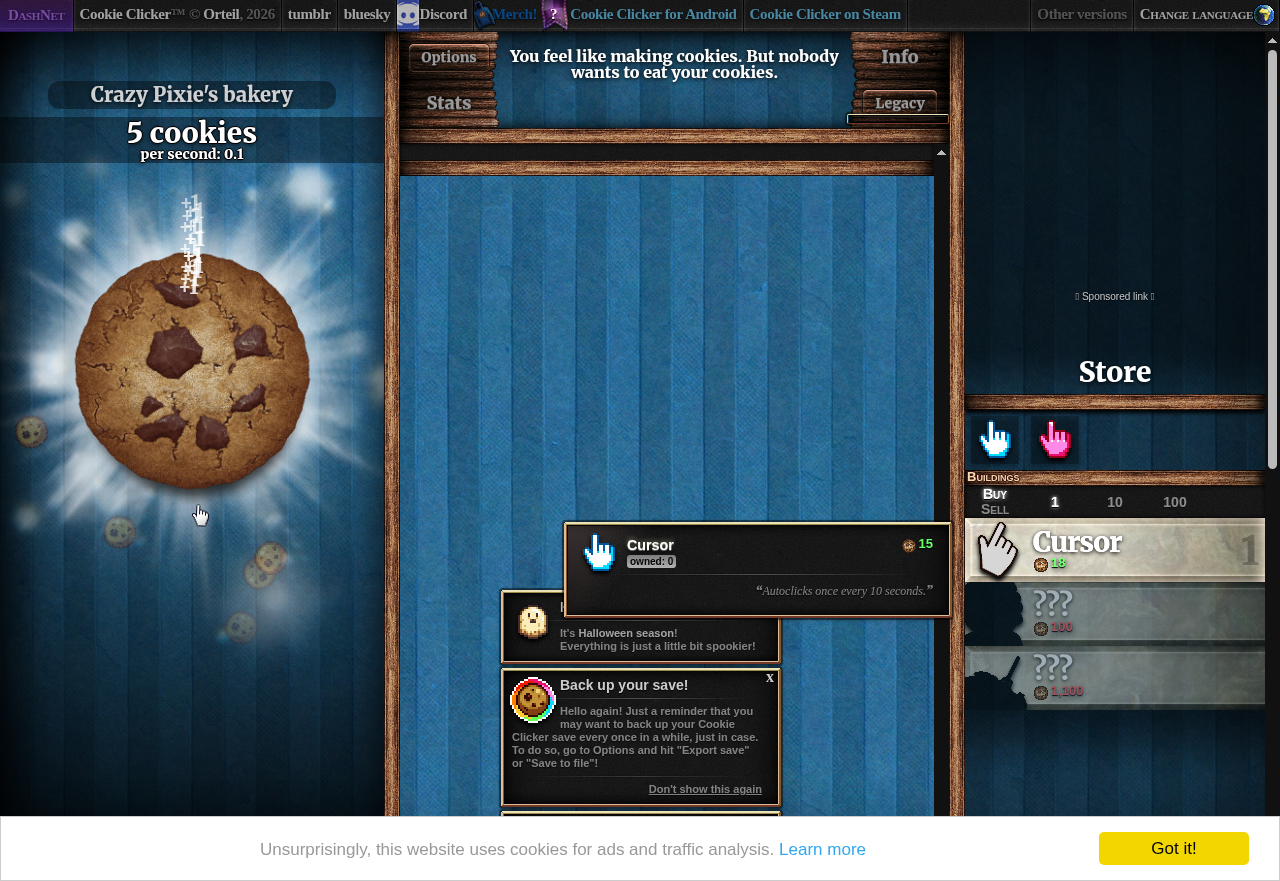
get_store_items reads the 20 store products, choose_upgrade picks the most expensive one the bot can afford, and buy_upgrade clicks it. The screenshot shows the first cursor bought.
Screenshot
Function
def choose_upgrade(items: Sequence[StoreItem]) -> StoreItem | None:
    affordable = [item for item in items if item.is_affordable]
    if not affordable:
        return None
    return max(affordable, key=lambda item: (item.price, item.index))
What we gained
- Keep the decision pure.
choose_upgradetakes plainStoreItemvalues and returns one, so it is tested with no game at all (ties, none affordable, empty list). - Confirm the result, do not assume it.
buy_upgradechecks that the owned amount (productOwned<N>) went up. Checking the cookie count first was wrong: the count keeps rising while the bot clicks. - The page lags behind. The first release lost about 40 percent of its purchases: the game updates the price and owned text at once but the affordable flag only at its next redraw, so a second purchase in the same visit used a stale flag. Buying at most one product per store visit cut the failures to 1 of 49.
- The real game finds what fakes cannot. The stale-element retry and the owned-amount check both came from running in Docker.