1
Step 1 Open The Game
Tirsvad edited this page 2026-10-28 10:04:17 +01:00
Step 1: open the game
🌐 English · Dansk · Bahasa Melayu
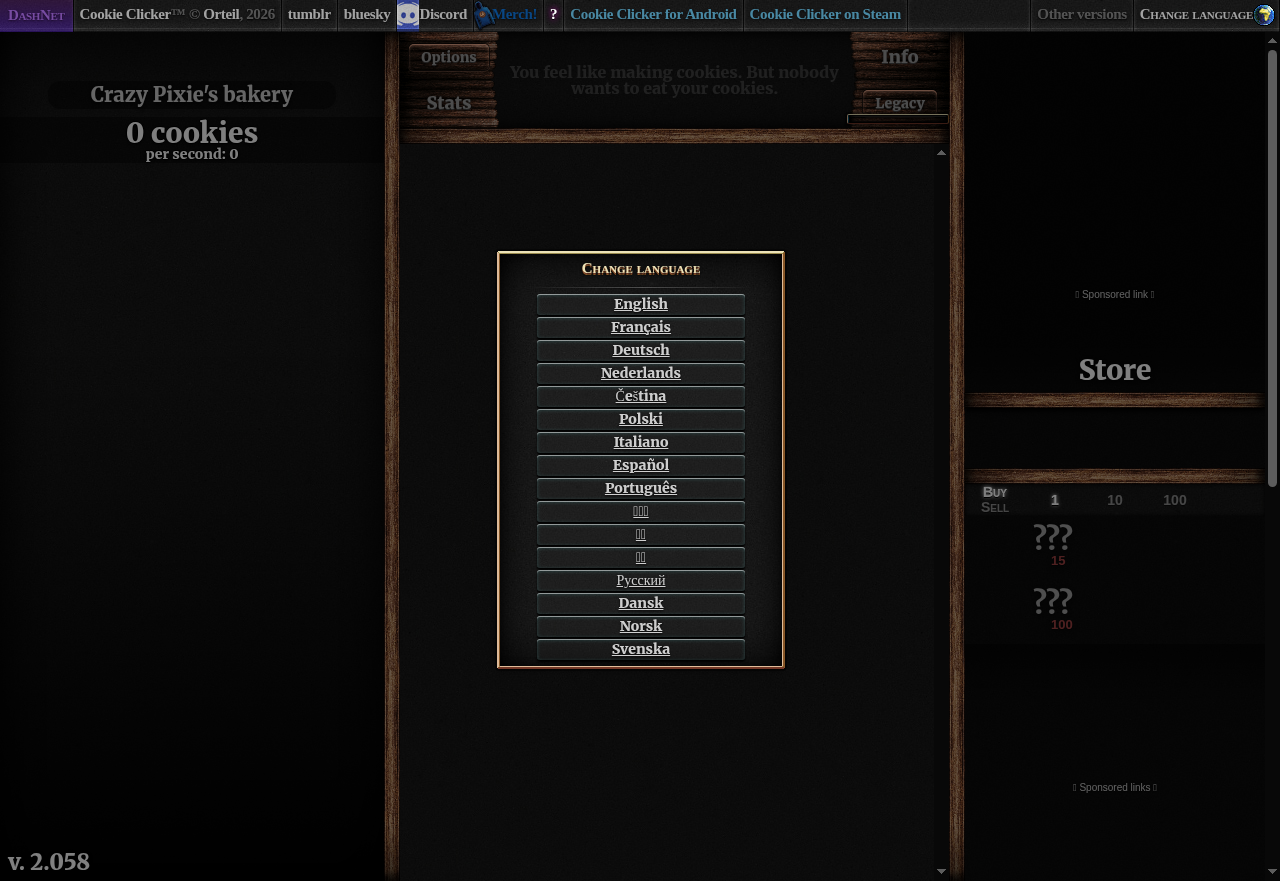
The bot starts Chrome, loads the game and waits until the language prompt is on the page. Then it picks English, which makes the big cookie playable.
Screenshot
Function
def open_game(game: GamePort) -> None:
    game.open_page(GAME_URL)
    game.wait_for_element(LANGUAGE_BUTTON_PREFIX + LANGUAGE_CODE)


def select_language(game: GamePort) -> None:
    game.click_element(LANGUAGE_BUTTON_PREFIX + LANGUAGE_CODE)
    game.wait_for_element(BIG_COOKIE_ID)
What we gained
- Wait for an element, do not sleep.
WebDriverWaitreturns as soon as the element exists, so the bot is fast when the page is fast and patient when it is slow. - Selenium Manager finds the matching Chrome driver, so there is no manual download.
- A port keeps Selenium out of the rules.
open_gameonly talks toGamePort, so a fake game tests it without a browser. - One place for the page's details. The address and the element ids are in
constants.py.
Next: Step 2: click the cookie