
20 lines
1.1 KiB
Markdown
20 lines
1.1 KiB
Markdown
# Lecture 6: Decorators and the @ syntax
|
|
|
|
**English** · [Dansk](Lecture-6-Decorators-da) · [Bahasa Malaysia](Lecture-6-Decorators-ms)
|
|
|
|
|
|
|
|
## What the lecture covers
|
|
|
|
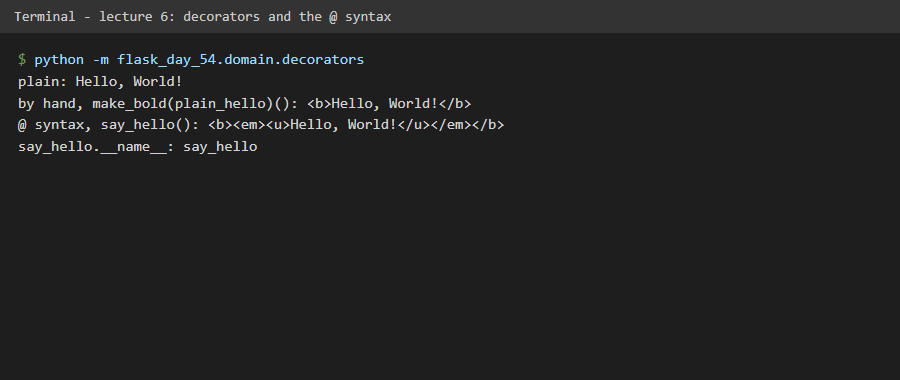
A decorator adds behaviour to an existing function without editing it. The lecture first recaps first-class functions, nesting and returning functions, then introduces the `@` syntax: writing `@make_bold` above a function is the same as `say_hello = make_bold(say_hello)`. Flask uses the same idea for its routes: `@app.route("/")`. With `functools.wraps` the wrapped function keeps its name.
|
|
|
|
## What we gained
|
|
|
|
- The `@` syntax as shorthand for passing a function to a wrapper.
|
|
- Stacking decorators: the one nearest the function runs first, so `@make_bold @make_emphasis @make_underlined` gives `<b><em><u>...</u></em></b>`.
|
|
- An understanding of what `@app.route("/")` does in the next lectures.
|
|
|
|
## In this repository
|
|
|
|
Code: `src/flask_day_54/domain/decorators.py`. Tests: `tests/unit/test_decorators.py`.
|