
20 lines
1.2 KiB
Markdown
20 lines
1.2 KiB
Markdown
# Lecture 3: The command line
|
|
|
|
**English** · [Dansk](Lecture-3-Command-Line-da) · [Bahasa Malaysia](Lecture-3-Command-Line-ms)
|
|
|
|
|
|
|
|
## What the lecture covers
|
|
|
|
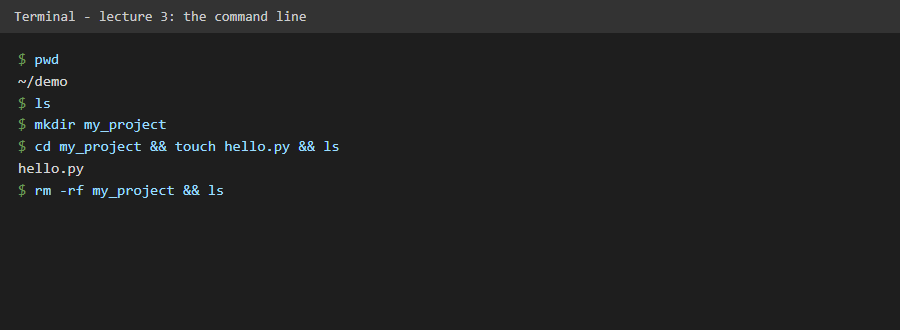
The terminal talks to the operating system's kernel through the shell (a pistachio: the kernel is the nut, the shell is the outer shell). It gives developers control and speed. The lecture shows `pwd` (where am I), `ls` (what is here), `cd` (go there), `mkdir` (new folder), `touch` (new file) and `rm` (delete). `rm -rf` removes a folder and everything in it without asking, so it needs care. Windows has similar commands: `cd`, `dir`, `type nul > file`, `del`, `rmdir /s /q`.
|
|
|
|
## What we gained
|
|
|
|
- The six commands we use every day to move around and manage files.
|
|
- A clear warning for the two destructive commands, written into the code as data.
|
|
- Confidence to use the terminal instead of only graphical tools.
|
|
|
|
## In this repository
|
|
|
|
Code: `src/flask_day_54/domain/cli_basics.py` lists the commands with their Windows forms. The screenshot shows real commands run in a temporary folder. Tests: `tests/unit/test_cli_basics.py`.
|