
1.2 KiB
1.2 KiB
Lecture 3: The command line
English · Dansk · Bahasa Malaysia
What the lecture covers
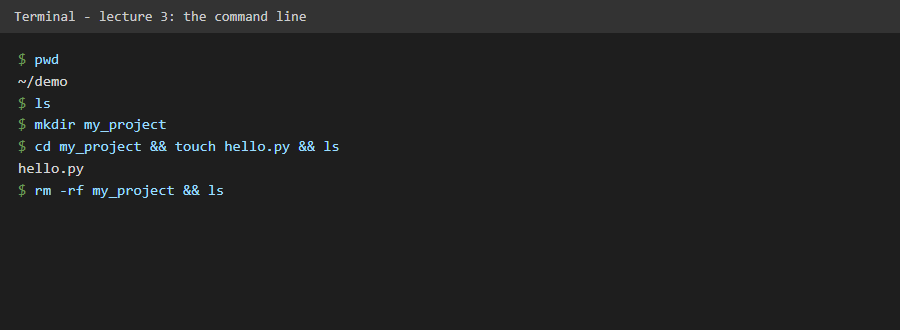
The terminal talks to the operating system's kernel through the shell (a pistachio: the kernel is the nut, the shell is the outer shell). It gives developers control and speed. The lecture shows pwd (where am I), ls (what is here), cd (go there), mkdir (new folder), touch (new file) and rm (delete). rm -rf removes a folder and everything in it without asking, so it needs care. Windows has similar commands: cd, dir, type nul > file, del, rmdir /s /q.
What we gained
- The six commands we use every day to move around and manage files.
- A clear warning for the two destructive commands, written into the code as data.
- Confidence to use the terminal instead of only graphical tools.
In this repository
Code: src/flask_day_54/domain/cli_basics.py lists the commands with their Windows forms. The screenshot shows real commands run in a temporary folder. Tests: tests/unit/test_cli_basics.py.