 Tirsvad
f2b81f44c5
Tirsvad
f2b81f44c5
README with the five lecture step screenshots and the option table, Doxygen
builds without warnings, wiki pages for the home page and the five steps in
three languages (screenshots and what each step taught), sidebar and footer.

Closes #29
Closes #30
Closes #31
Closes #32
Closes #33
1.8 KiB
1.8 KiB
English · Dansk · Bahasa Malaysia
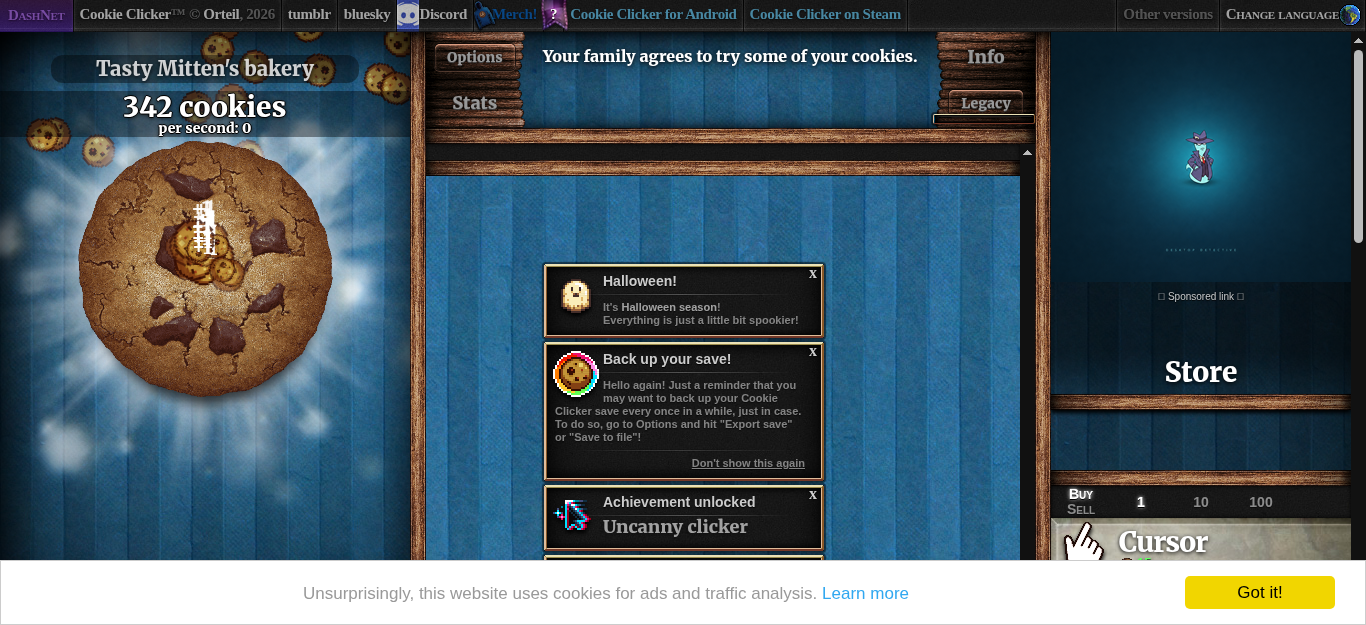
Lecture step 2: click the cookie as fast as possible
What the assignment asks
Create a bot with Selenium and Python that clicks the cookie as fast as possible. It must dismiss the language selection by itself before it starts.
What we built
open_gameloads the page.dismiss_languagewaits until the English button is visible, clicks it, and then waits until the big cookie is visible. The game needs a few seconds to start after the language is chosen, so the bot polls (every 0.2 seconds, at most 20 seconds) instead of sleeping for a fixed time.click_cookieclicks#bigCookieonce. If a banner or a re-render blocks the click for a moment, the bot tries again on the next round.- A loop calls
click_cookieuntil the time is up. In a 15 second run in the container the bot clicked 344 times, and the screenshot above shows 342 cookies.
cookie-clicker-bot --headless --duration 15 --screenshot step-2.png
What we gained in this step
- Wait for a condition, not for a time. A fixed
sleepis either too short (the bot fails) or too long (the bot wastes time). Polling for "the cookie is visible" is both faster and safer. - Keep the browser behind a port. The loop knows only
GamePort(open_game,dismiss_language,click_cookie, ...). The Selenium code lives in one adapter, so the loop is tested with a fake game in a few milliseconds. - Time a loop with a clock you can replace.
click_and_buytakes the clock as a parameter; the tests give it a fake clock and check the number of clicks exactly.