 Tirsvad
9565ebe66d
Tirsvad
9565ebe66d
Wiki pages in English, Danish and Bahasa Malaysia for the home page and the
three lecture steps, with a sidebar and the screenshots; README with the
screenshots table and wiki links; review RC-011.

Task: MIL-003#1
29 lines
1.1 KiB
Markdown
29 lines
1.1 KiB
Markdown
**English** · [Dansk](Step-2-Search-da) · [Bahasa Malaysia](Step-2-Search-ms)
|
|
|
|
# Step 2: Type into an input and press Enter
|
|
|
|
## The lecture
|
|
|
|
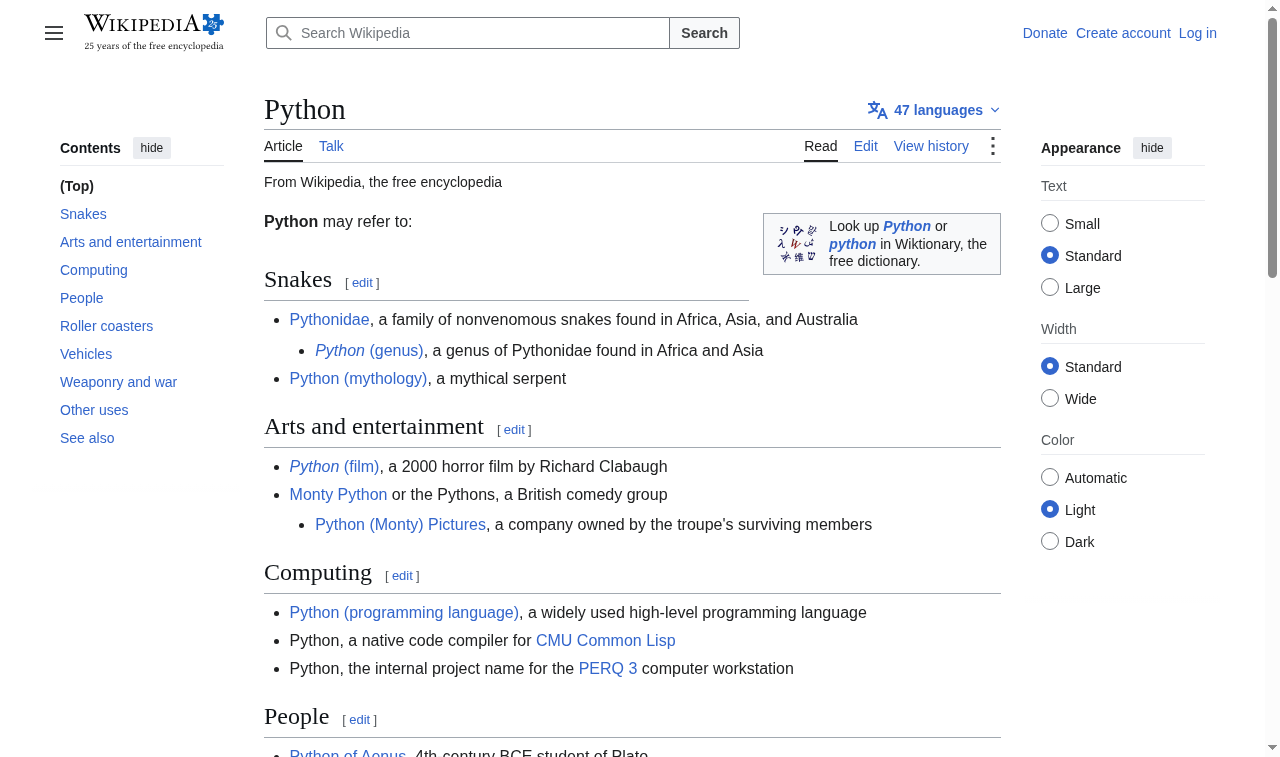
The lecture types "Python" into the Wikipedia search bar. The bar is found by its `name` attribute, text is typed with `send_keys`, and the special Enter key is sent with the `Keys` class from `selenium.webdriver.common.keys`, which submits the search.
|
|
|
|
## The code
|
|
|
|
```python
|
|
def search_for(browser, term=SEARCH_TERM):
|
|
search_input = browser.find_element(BY_NAME, SEARCH_INPUT_NAME)
|
|
search_input.send_keys(term)
|
|
search_input.send_keys(KEY_ENTER)
|
|
```
|
|
|
|
`KEY_ENTER` is the same value as `Keys.ENTER`, again guarded by a unit test.
|
|
|
|
## What the browser shows
|
|
|
|
|
|
|
|
## What we gained
|
|
|
|
- `By.NAME` finds an input by its `name` attribute.
|
|
- `send_keys` types text into an input, and also sends special keys such as Enter.
|
|
- Sending Enter submits a search like a person would, without finding a search button.
|