 Tirsvad
7d139f86c7
Tirsvad
7d139f86c7
Delivers MIL-006 tasks 1 to 4: the wiki pages in `docs/wiki/` in English, Danish and Bahasa Malaysia (Home plus one page per lecture step, each with its screenshot and a "what we gained" section, and a shared `_Sidebar.md`), laid out as `framework/process/wiki.md` says (English without suffix, `-da` and `-ms` for the others, a language line on every page). The README links to the wiki.

Checked: the three languages have the same five pages; every page starts with the language line; code, commands and file names stay in English. There is no QC checklist for wiki pages, so there is no RC record. Publishing to the host's wiki (task 5, issue #31) follows after this merge.

Task: MIL-006#1
Task: MIL-006#2
Task: MIL-006#3
Task: MIL-006#4
19 lines
1.2 KiB
Markdown
19 lines
1.2 KiB
Markdown
# Langkah 1: ambil harga
|
|
|
|
🌐 [English](Step-1-Scrape-the-Price) · [Dansk](Step-1-Scrape-the-Price-da) · **Bahasa Melayu**
|
|
|
|
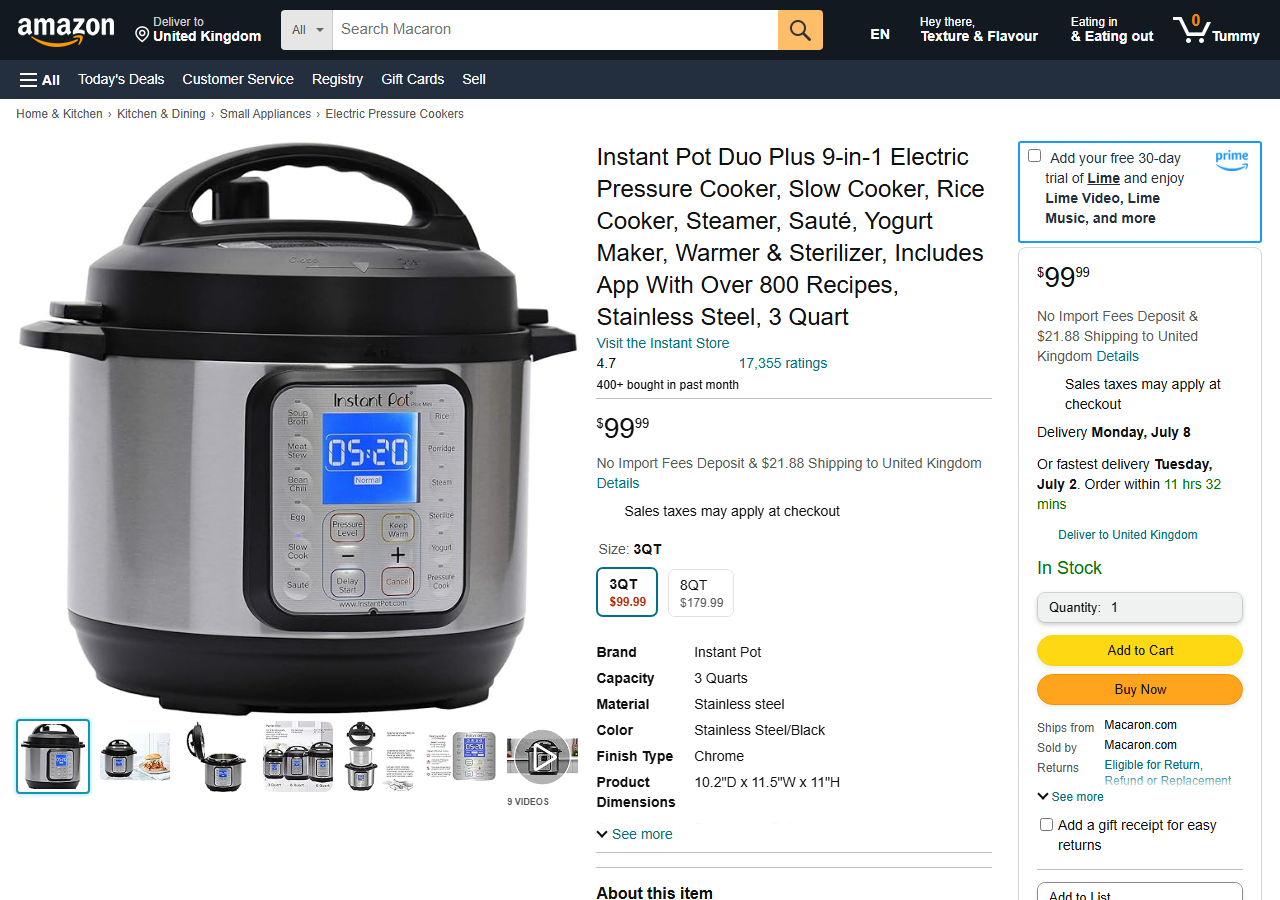
**Tugasan.** Gunakan BeautifulSoup untuk mendapatkan harga Instant Pot di halaman latihan sebagai nombor perpuluhan dan cetaknya.
|
|
|
|
**Apa yang dibina.** `get_title(html)` dan `get_price(html)` dalam `infrastructure/scraper.py`. Harga berada dalam elemen pertama dengan kelas `a-offscreen`; teksnya `$99.99`. `split("$")` membuang simbol mata wang dan `float()` menghasilkan nombor.
|
|
|
|
|
|
|
|

|
|
|
|
**Apa yang kita perolehi**
|
|
|
|
- Cara mencari elemen dalam pemeriksa pelayar dan memilihnya dengan BeautifulSoup (`select_one`).
|
|
- Cara membersihkan teks yang diambil (`strip`, `split`) sebelum menukarnya dengan `float()`.
|
|
- Ujian yang menggunakan salinan halaman yang disimpan, jadi ia berjalan tanpa rangkaian.
|
|
- Ralat yang jelas (`PriceNotFoundError`) apabila elemen tiada.
|