
28 lines
2.1 KiB
Markdown
28 lines
2.1 KiB
Markdown
# Step 4 - Search and Add Songs
|
|
|
|
🌐 **English** · [Dansk](Step-4-Search-and-Add-Songs-da) · [Bahasa Melayu](Step-4-Search-and-Add-Songs-ms)
|
|
|
|
## What the step does
|
|
|
|
For every song of the chart the program searches YouTube Music with the title and the artist, using `yt.search(query, filter="songs")` so only song results come back, and adds the top result with `yt.add_playlist_items()`. A song that is not found, or that fails, is skipped and the loop goes on. At the end the program tells how many songs were added and which were skipped.
|
|
|
|
```bash
|
|
python -m musical_time_machine
|
|
```
|
|
|
|
A live run with the author's `browser.json`: all 100 songs were added:
|
|
|
|

|
|
|
|
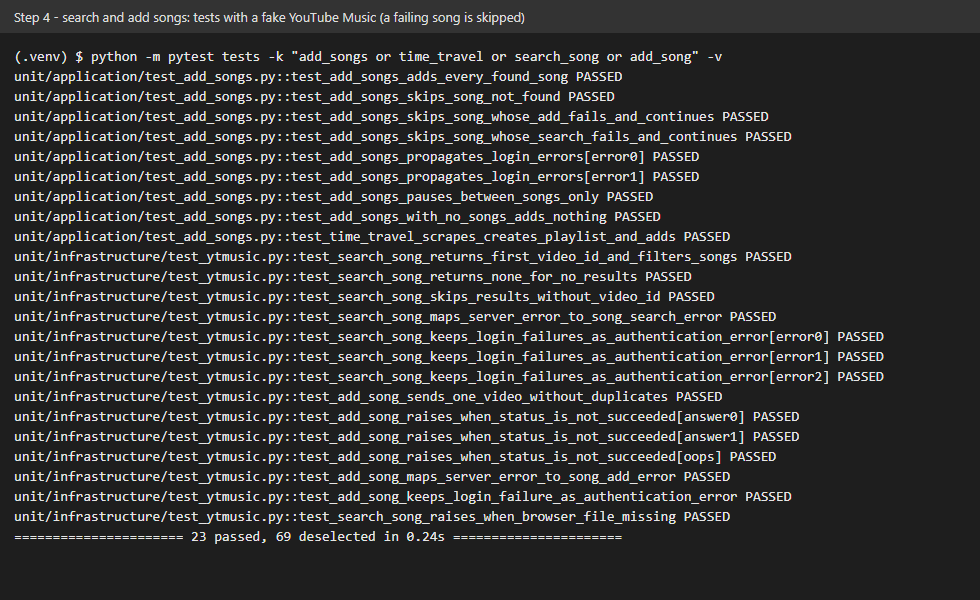
The screenshot shows the tests of this step with a fake YouTube Music: all songs are added, and a failing song is skipped without stopping the run.
|
|
|
|
|
|
|
|
## What we gained
|
|
|
|
- **A loop that survives bad items.** One song in a hundred has an odd title or no match. Catching the specific song errors inside the loop, and recording what was skipped, keeps one failure from losing the other ninety-nine.
|
|
- **Knowing what *not* to catch.** A failed login would make every following song fail too, so authentication errors are not skipped: they stop the run. Catching everything with a bare `except` would hide that.
|
|
- **Matching a search to a result.** Searching "title artist" with the `songs` filter gives the best song match; the first result is a good enough rule for a playlist, and a not-found result is a normal outcome, not an error.
|
|
- **Testing time.** The pause between calls is injected, so the tests run instantly and still prove that it happens.
|
|
- **Thin presentation.** The command line only reads input and prints the summary; the whole flow is the use case `time_travel`, which is why it can be tested end to end with fakes.
|