
2.1 KiB
2.1 KiB
Step 4 - Search and Add Songs
🌐 English · Dansk · Bahasa Melayu
What the step does
For every song of the chart the program searches YouTube Music with the title and the artist, using yt.search(query, filter="songs") so only song results come back, and adds the top result with yt.add_playlist_items(). A song that is not found, or that fails, is skipped and the loop goes on. At the end the program tells how many songs were added and which were skipped.
python -m musical_time_machine
A live run with the author's browser.json: all 100 songs were added:

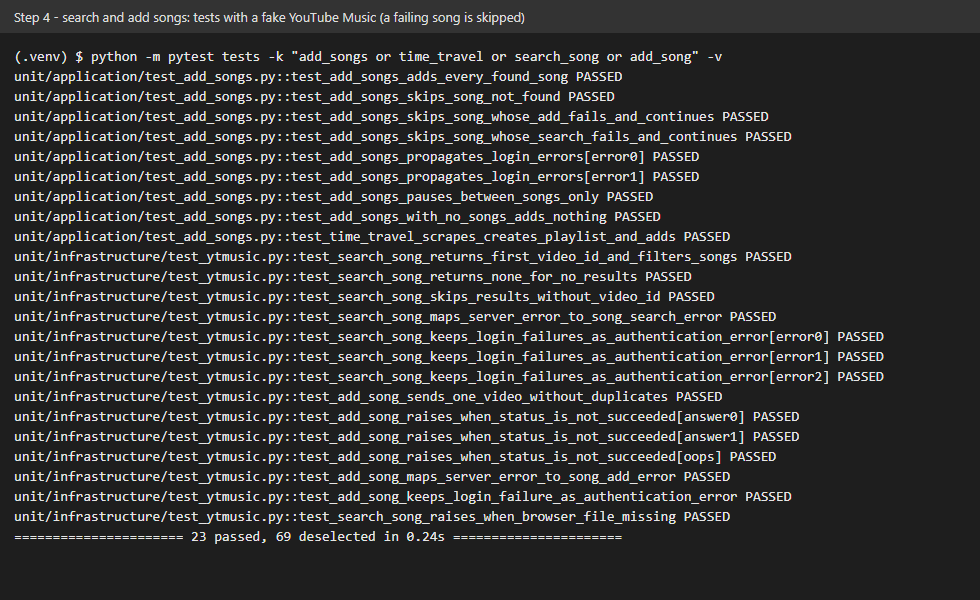
The screenshot shows the tests of this step with a fake YouTube Music: all songs are added, and a failing song is skipped without stopping the run.
What we gained
- A loop that survives bad items. One song in a hundred has an odd title or no match. Catching the specific song errors inside the loop, and recording what was skipped, keeps one failure from losing the other ninety-nine.
- Knowing what not to catch. A failed login would make every following song fail too, so authentication errors are not skipped: they stop the run. Catching everything with a bare
exceptwould hide that. - Matching a search to a result. Searching "title artist" with the
songsfilter gives the best song match; the first result is a good enough rule for a playlist, and a not-found result is a normal outcome, not an error. - Testing time. The pause between calls is injected, so the tests run instantly and still prove that it happens.
- Thin presentation. The command line only reads input and prints the summary; the whole flow is the use case
time_travel, which is why it can be tested end to end with fakes.