
2.0 KiB
This page is generated from README.md and wiki/. Changes made here are overwritten the next time the wiki is published.
English | Dansk | Bahasa Melayu
Snake Game (Day 24)
The classic Snake game, built with Python's turtle module. It is the day-24 assignment of Udemy's 100 Days of Code: The Complete Python Pro Bootcamp, which teaches the local file system and reading and writing files. A snake moves across a black 600 by 600 screen by itself and is steered with the arrow keys; it eats food, grows, and the scoreboard at the top shows the score and the high score. The game does not end: when the head passes the wall or touches its own tail, the snake and the score start again, and the best score is kept in the file data.txt, so it is still there the next time you play.
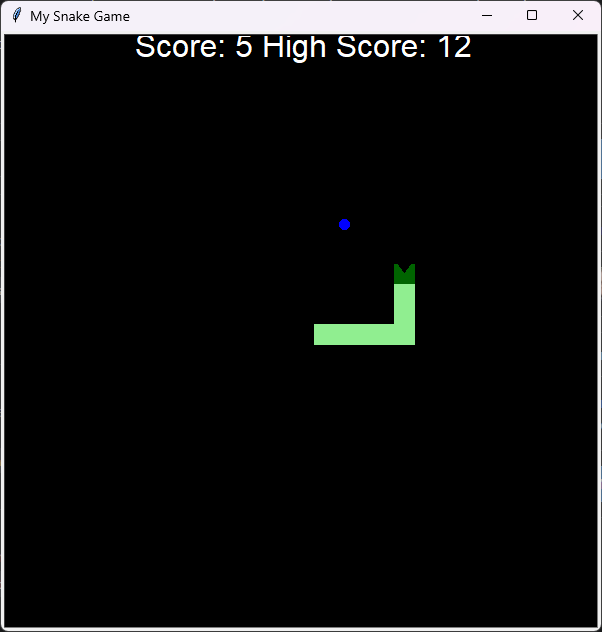
The running game at a score of 5 with a high score of 12: a light green body, a dark green head with a mouth, the blue food and the white scoreboard.
Controls
| Key | Effect |
|---|---|
| Up, Down, Left, Right | Turn the snake |
The snake never turns straight back onto itself. When the head comes closer than 15 pixels to the blue food the snake eats it, grows by one segment and the score goes up by 1.
The high score file
The high score is stored as text in data.txt in the folder you start the game from. It is created holding 0 the first time. To start from zero again, close the game and delete the file.
Run
Python 3.13 or newer with tkinter is needed; the game has no other runtime dependencies.
git clone https://git.tirsystem.com/Tirsvad-Udemy-100-days-of-code/024-snake.git
cd 024-snake
python -m pip install -e .
python -m snake_game
The README of the repository has the full set-up for Windows, Linux and macOS.