 Tirsvad
e3155de9b5
Tirsvad
e3155de9b5
Result parsing and formatting, one stdout result line, elapsed time, handling
of stale elements and of clicks blocked by the cookie banner (found in real
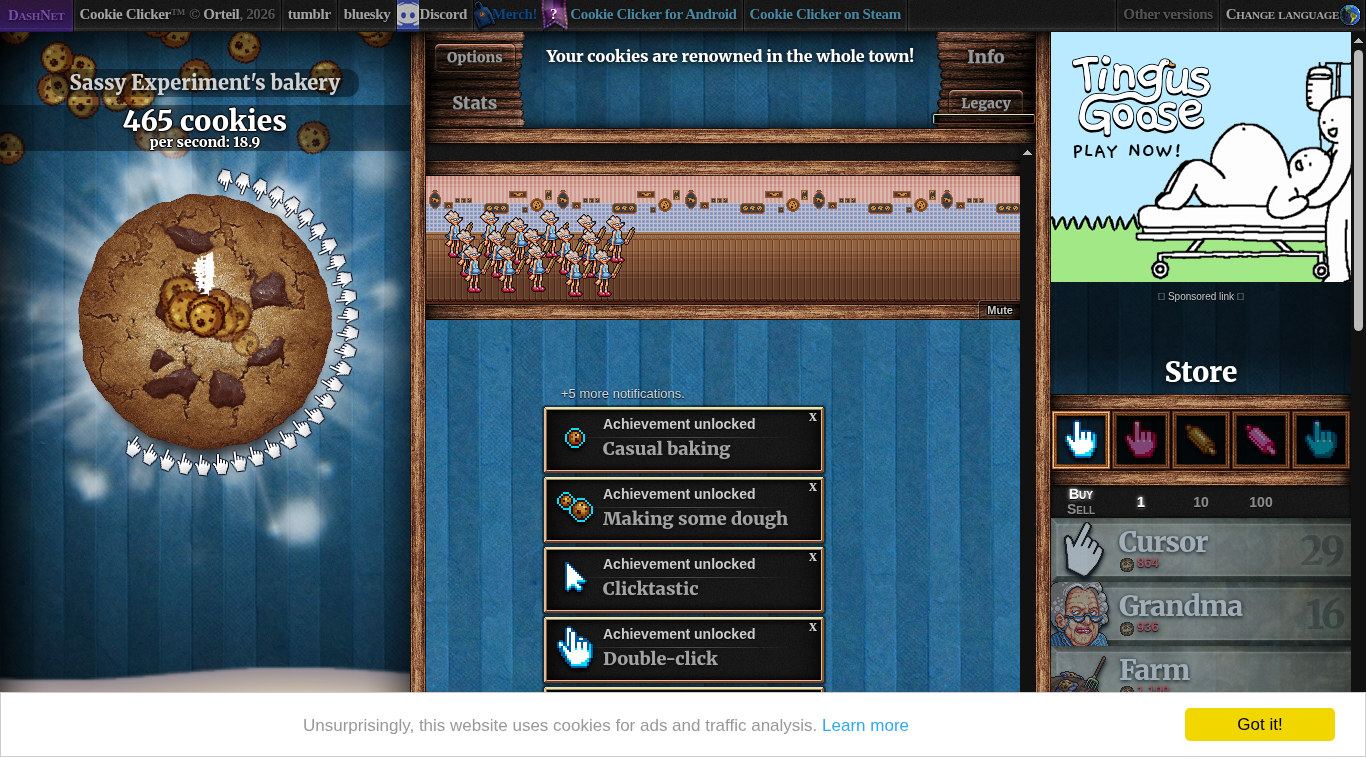
container runs), the baseline result and the screenshot of lecture step 4.
Code review RC-017.

Closes #22
Closes #23
Closes #24
Closes #25

Task: MIL-005#1
Task: MIL-005#2
Task: MIL-005#3
Task: MIL-005#4
2.2 KiB
2.2 KiB
English · Dansk · Bahasa Malaysia
Lecture step 4: stop after five minutes and print cookies per second
What the assignment asks
After 5 minutes the bot stops and prints cookies/second.
What we built
click_and_buyruns until a deadline measured with a monotonic clock (time.monotonic), so the run lasts exactlyRUN_DURATION_SECONDS(300) and does not drift if a click is slow.SeleniumGame.cookies_per_secondreads the game's own figure from#cookiesPerSecond(for exampleper second: 18.9), andparse_cookies_per_secondturns it into a number, including values such as1.2 million.format_resultbuilds the linecookies/second: 18.9. The program prints exactly this one line on standard output; the log (clicks, purchases, elapsed time) goes to standard error, socookie-clicker-bot > result.txtkeeps only the result.
Our first result
A full run in the Docker container with the assignment's rules (check every 5 seconds, buy the most expensive affordable product):
| Measure | Value |
|---|---|
| Duration | 300.0 seconds |
| Clicks | 7,666 |
| Products bought | 45 (29 Cursor, 16 Grandma) |
| Result | cookies/second: 18.9 |
What we gained in this step
- A timed loop that does not drift. A monotonic clock and a deadline are more reliable than counting sleeps.
- Separate output for people and for programs. Logging goes to standard error and the result to standard output.
- Two real bugs found by a real run. The game re-renders after the language is chosen, so an element can go stale between finding it and using it; the fix is to look again. A cookie banner covers part of the store, so a click on a product can be intercepted; the bot then clicks with JavaScript and counts a purchase only when the click went through. Unit tests with a fake driver did not show either problem, which is why every step has a container run and a screenshot.
- A baseline. 18.9 cookies per second is the number step 5 tries to beat.