1
Step 2 Search
Tirsvad edited this page 2026-10-28 09:25:28 +01:00
English · Dansk · Bahasa Malaysia
Step 2: Type into an input and press Enter
The lecture
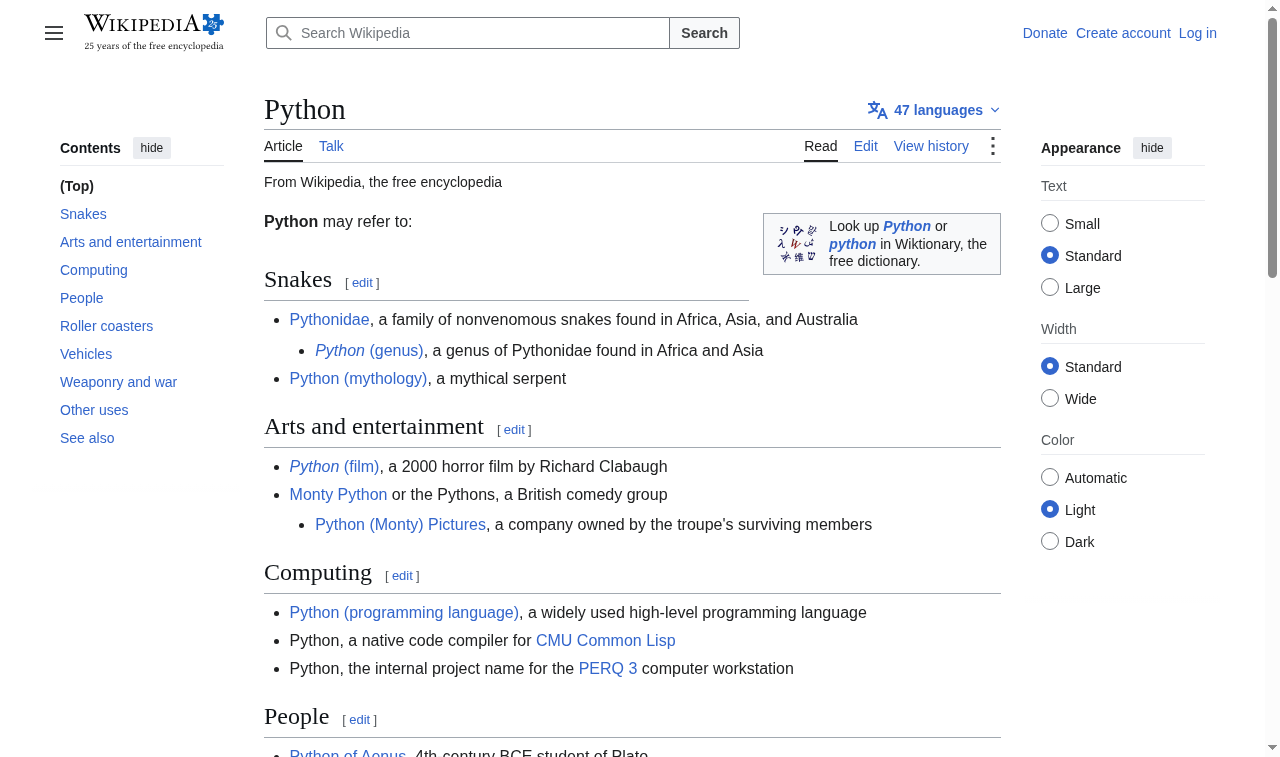
The lecture types "Python" into the Wikipedia search bar. The bar is found by its name attribute, text is typed with send_keys, and the special Enter key is sent with the Keys class from selenium.webdriver.common.keys, which submits the search.
The code
def search_for(browser, term=SEARCH_TERM):
    search_input = browser.find_element(BY_NAME, SEARCH_INPUT_NAME)
    search_input.send_keys(term)
    search_input.send_keys(KEY_ENTER)
KEY_ENTER is the same value as Keys.ENTER, again guarded by a unit test.
What the browser shows
What we gained
By.NAMEfinds an input by itsnameattribute.send_keystypes text into an input, and also sends special keys such as Enter.- Sending Enter submits a search like a person would, without finding a search button.