1
Step 2 Email Alert
Tirsvad edited this page 2026-10-28 07:51:23 +01:00
Step 2: e-mail alert
🌐 English · Dansk · Bahasa Melayu
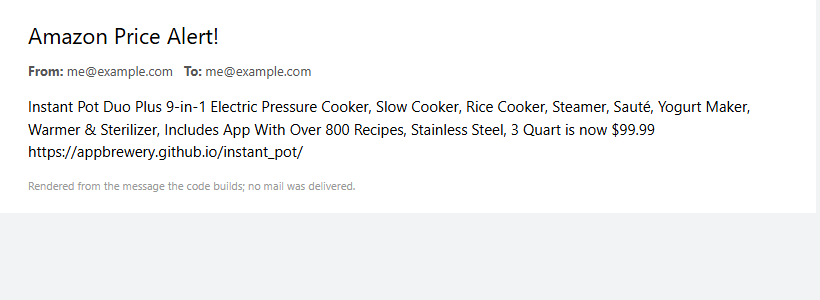
Assignment. When the price is below a target (100), send an e-mail to yourself with the product title, the price and a link to buy it. Keep the e-mail address and password out of the code.
What we built. check_price compares the price with TARGET_PRICE. SmtpNotifier connects with smtplib on port 587, starts TLS, logs in and sends the message. SMTP_ADDRESS, EMAIL_ADDRESS and EMAIL_PASSWORD are read from .env with python-dotenv; .env.example shows the keys.
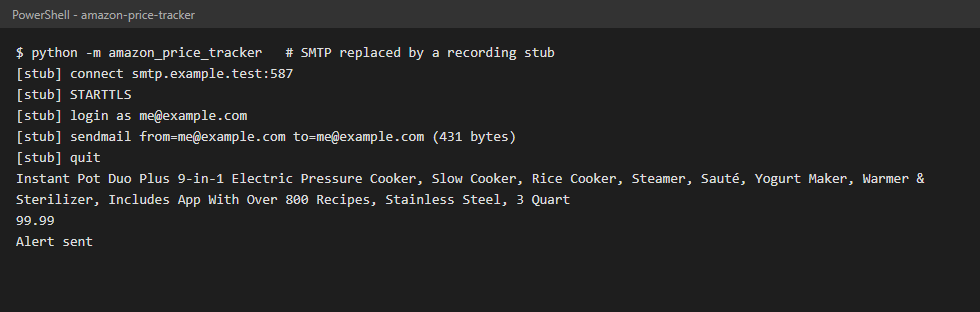
The screenshots come from a run where the SMTP connection is replaced by a stub, so no mail was sent; the second one is rendered from the message the code builds.
What we gained
- The SMTP conversation: connect,
starttls(),login(),sendmail(); Gmail needs an App Password. - Environment variables and
.envfiles keep secrets out of the repository (.envis in.gitignore). - A "below the target" rule that is a tiny pure function and easy to test (below, equal, above).
- Tests with a fake SMTP class: no real mail is ever sent by the tests.